Enrolment links
One link or QR code that signs a worker up and takes them straight into their training, with no one assigning them first.
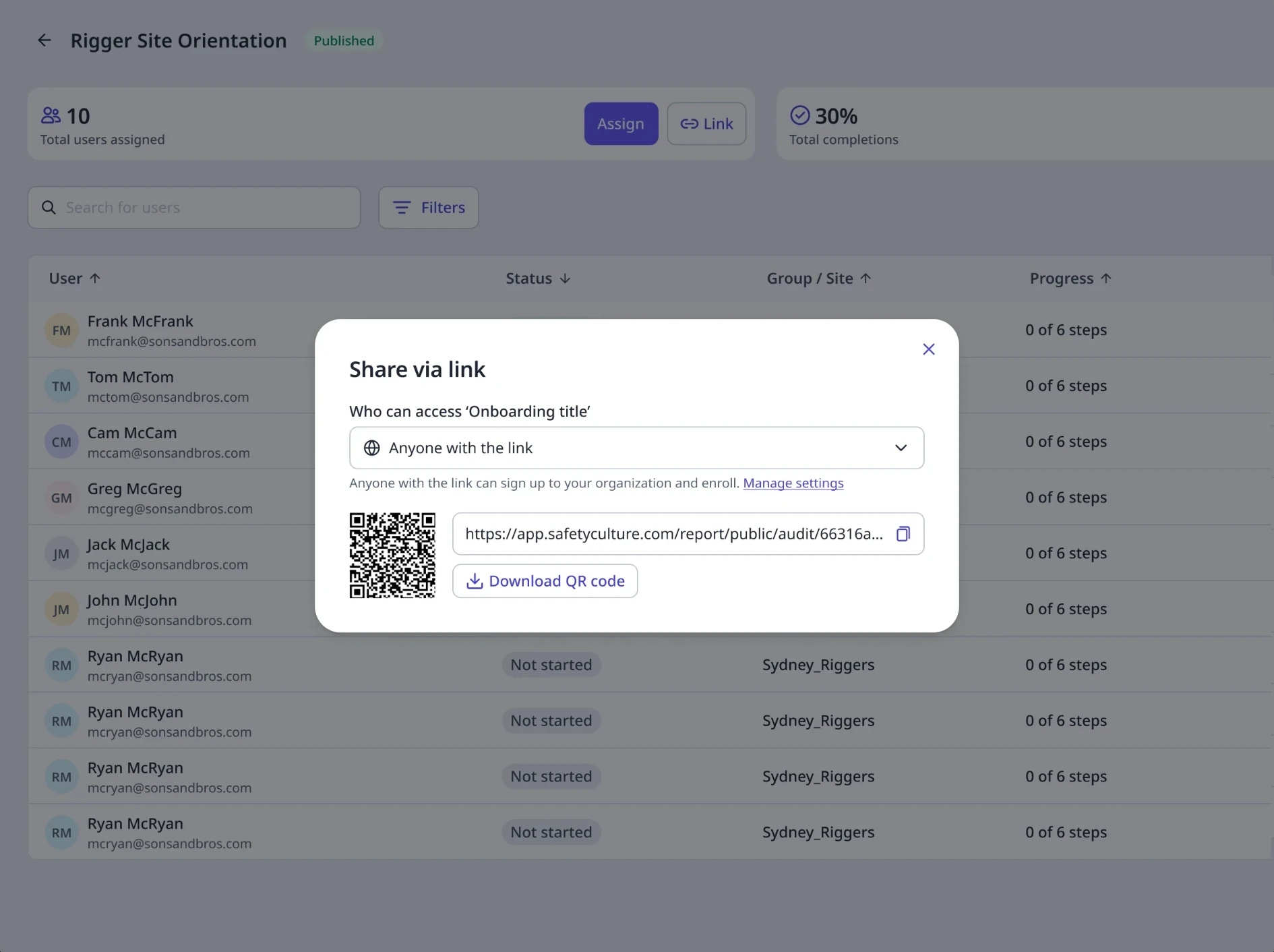
- Problem
- Training was assigned one person at a time, which didn’t work for contractors and event workers nobody could list in advance.
- My part
- Co-led design with the designer from the contractors team: the link, QR code and settings, and the sign-up flows for new and existing workers, weighing four ways to register them.
- Outcome
- Widely adopted. Tennis Australia uses it to onboard thousands of Australian Open workers every year.
01Why
Admins couldn't assign training to workers they didn't know yet.
Think of a big event. Hundreds of contractors and seasonal staff arrive, and the admin often doesn’t have their names until they turn up. Each of them needs an induction before they can start, but training was assigned one person at a time. That works for staff on a list, not for a crowd at the gate, and every manual assignment is a delay when contractors need to be on site fast. It held back new customers too: rolling out training took too many steps, and sign-ups were lost along the way.
- 5%
- Of new sign-ups with training intent created, published and opened a course
- 2d 23h
- Median time from editing a course to three learners opening it
- ~20,000
- Contractors one customer couldn't list in advance
Before launch, Dec 2024.
02Who it’s for
Admins send it; contractors and frontline workers use it.
There are two people on either side of the link. The admin wants to share training without assigning each person, and still control who gets in. The worker just wants to scan a code and start. Picture a venue manager who needs a contractor on site during a power outage: the contractor scans a QR code, registers, lands straight in the induction, and the manager can follow their progress. The hard part is in between: making sure new workers land in the right groups and sites, because otherwise they float outside the organisation and get harder to manage as numbers grow.
03Options
Four ways to register workers. We shipped the simplest, fast.
We weighed four ways to register workers and chose to launch the simplest, a single link, then improve registration afterwards. The first release added one thing on top: an optional company picker at sign-up, with admins placing new workers into groups and sites from the link settings.
| Option | For | Against |
|---|---|---|
| Simple link (shipped) | Enrols new users with minimal admin effort | Doesn't solve segmentation on its own |
| Link with a richer sign-up form | Enrols and segments in one step | Exposes every group and site; more fields could hurt sign-up |
| One link per site or group | Solves segmentation; simple for the worker | Admins must predict where every worker goes |
| One org link with custom fields | Saves a link per onboarding | No deep link into the training itself |
04What we built
One link per course, onboarding or Path, with two access settings.
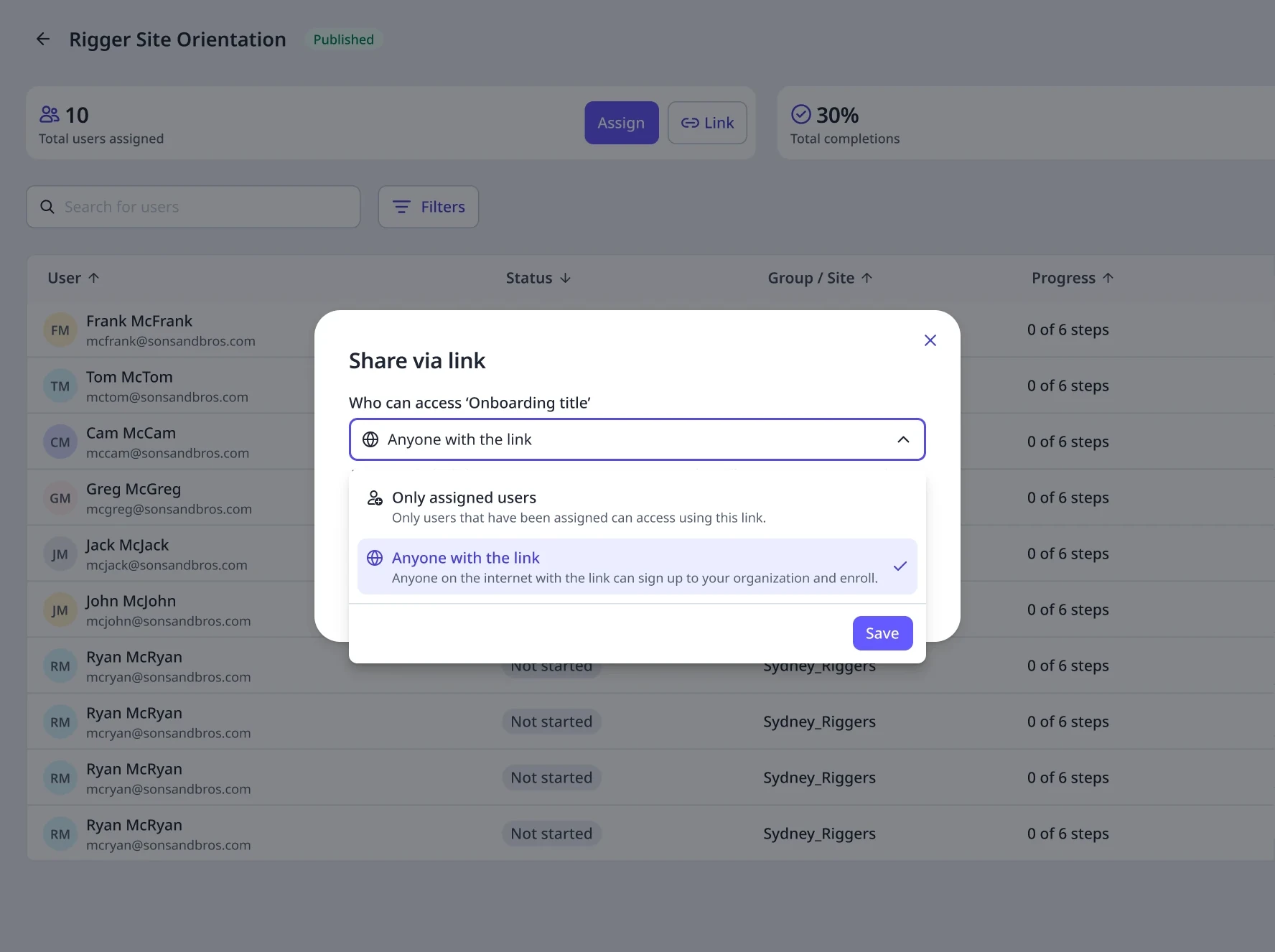
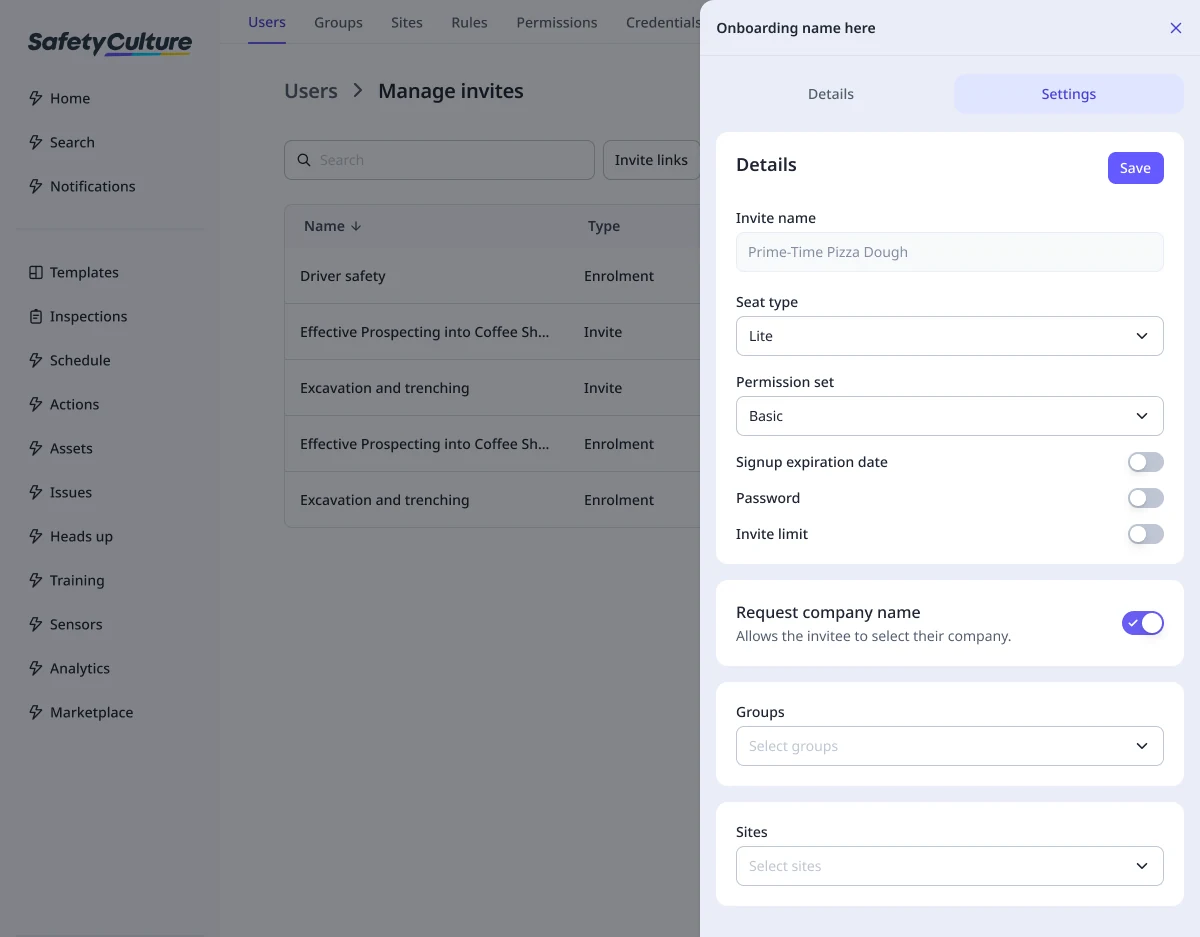
Every published course, onboarding workflow or Path now gets a link automatically. The admin picks who can use it, copies the link or downloads a QR code, and decides which groups and sites new workers join, with limits, expiry and a password when they need them.
05How it works for admins
Publish, share, then set who gets in and where they land.
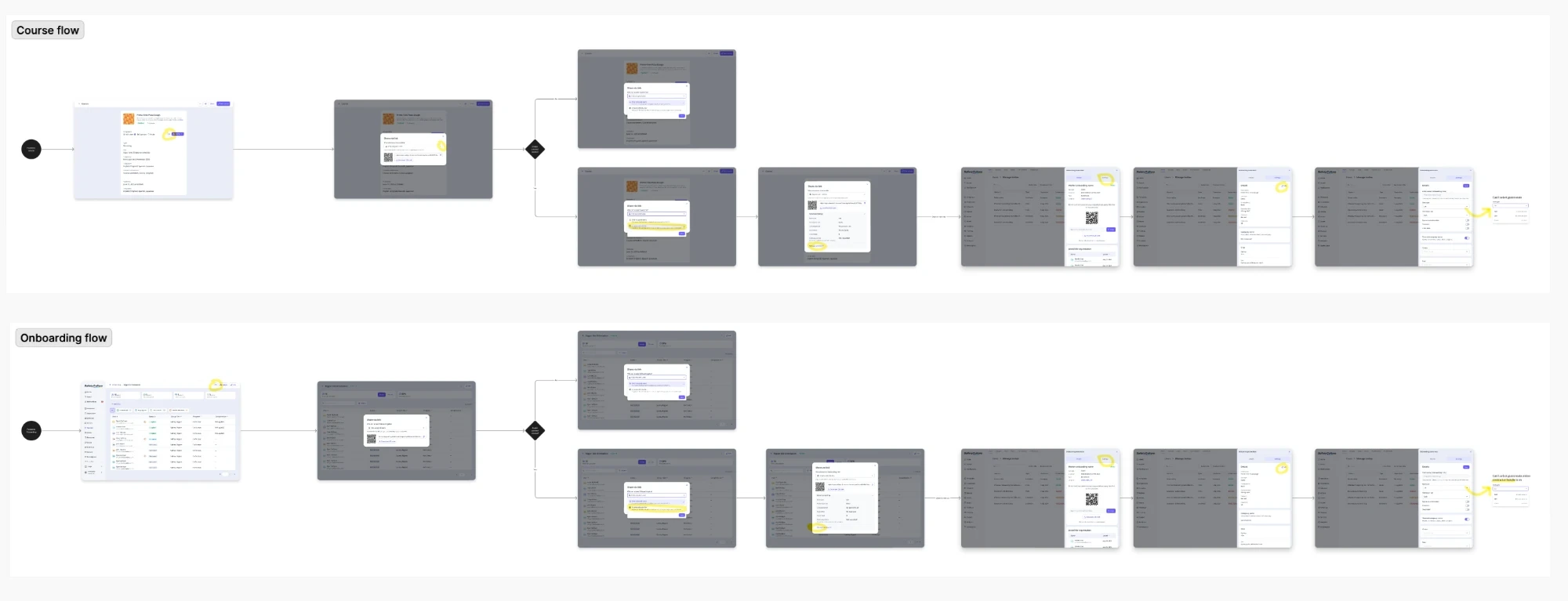
From any published course or onboarding, the admin shares the link, then decides who gets in and where new workers land.
06How it works for workers
Scan, sign up or log in, and land in the training.
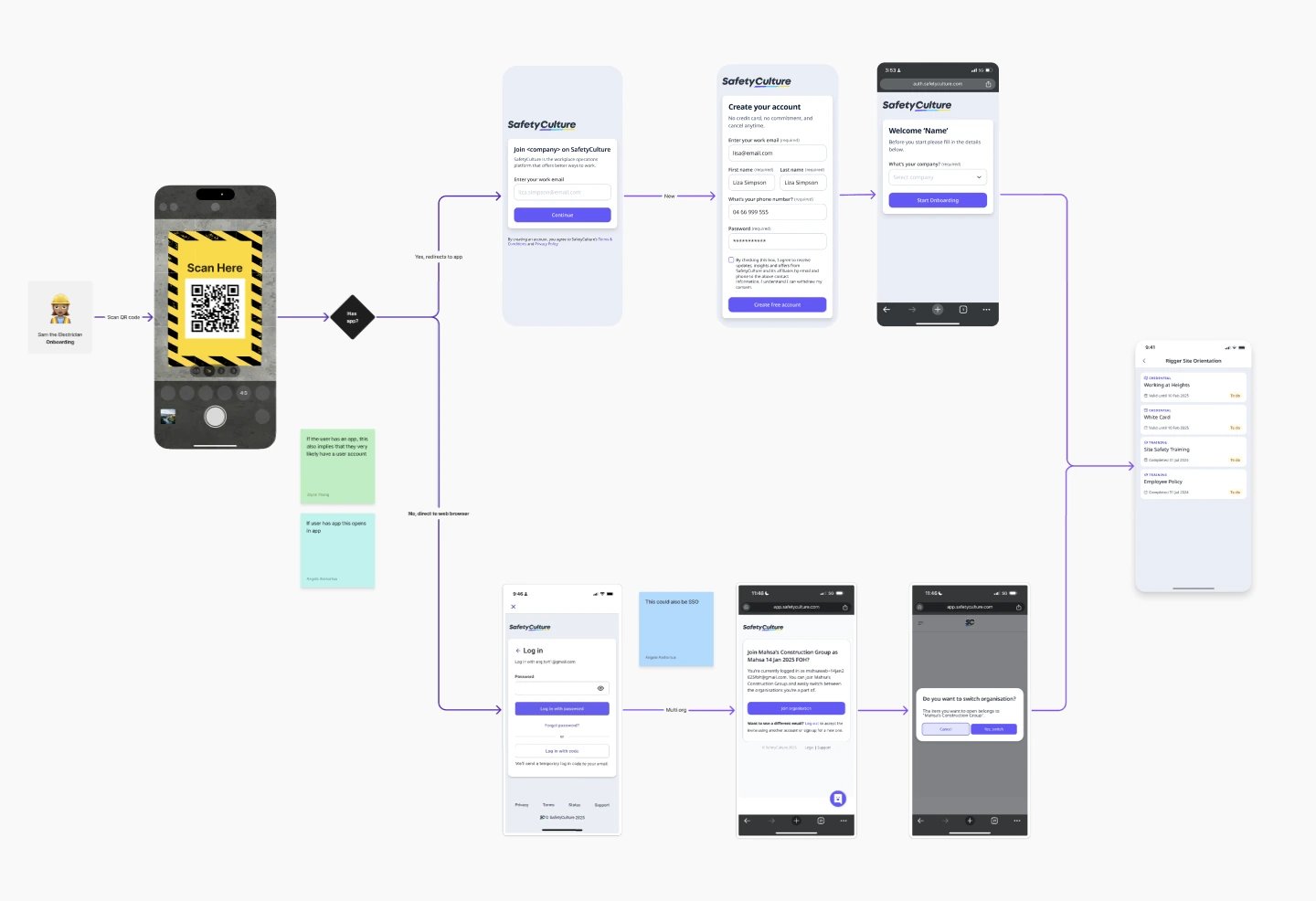
For the contractor at the gate, it starts with a QR code. They scan it or open the link, in the app if it’s installed. New workers create an account and pick their company if asked; existing workers log in, join the organisation and switch to it. Either way, they land straight in their training.
07Outcome
Widely adopted, up to the scale of the Australian Open.
Enrolment links are live for courses, onboarding and Paths, and have been widely adopted. Tennis Australia uses them every year to onboard thousands of short-term workers for the Australian Open. New workers land in the right groups and sites from the link settings. What we parked is collecting more about them at sign-up through custom user fields. It took about five months, longer than our other projects: opening sign-up to anyone with a link carried real security risk, and the work touched several parts of the platform. Most testing happened in moderated calls with customers.
08What I learned
When work touches other parts of the platform, bring those teams in early and take them through the problem with you. Teams outside my product area have their own time and priorities to protect, so their buy-in is critical.