Path Builder
One builder for onboarding, role progression and compliance. Paths replaced Onboarding at Mitti and went generally available in November 2026.
- Problem
- Guided training was split across two products, and neither covered the whole employee lifecycle.
- My part
- Led design and product direction across the builder, admin tools and worker experience, and shipped code to hit the deadline.
- Outcome
- Launched to every customer in November 2026. Sales were already using it to win deals, with 134 admins in Paths before launch.
LiveInteractive prototype
Click through the prototype
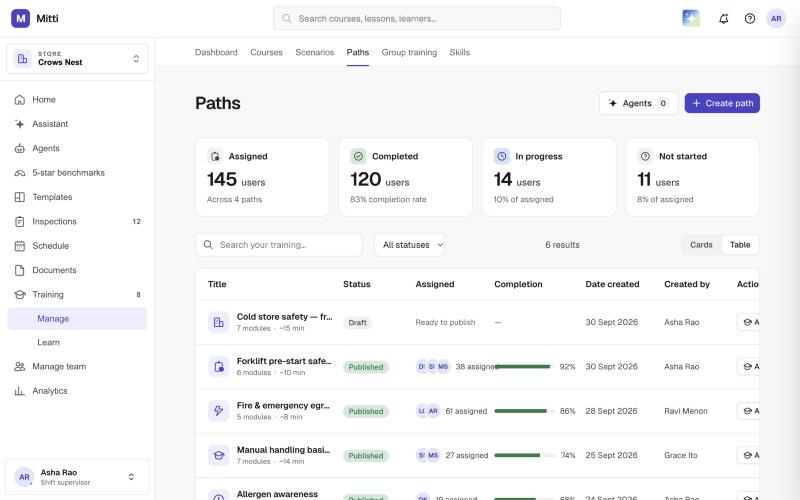
This is the working prototype I built for Paths and the wider Training vision. It runs right here in the page.
- Select Create path, pick an example and answer the follow-up questions to watch AI build a path.
- Open a published path, like Forklift pre-start safety, to see who has completed it.
- Select Learn in the sidebar to see the worker side.
01Why
Guided training was split in two, and neither half covered the whole employee lifecycle.
Take a new line cook at a quick service restaurant. Before their first shift they need to read the food and beverage SOP, finish a fire safety course and sign a safety acknowledgement, in that order. The admin setting that up at Mitti had two tools: legacy Paths, built around courses, and Onboarding, which added credentials and scenarios but was designed for a worker’s first day. Neither covered what comes next, like a new role, a refresher or recurring compliance, so customers stitched the two together. What customers asked for was one place to build set-order learning, with signatures and richer content. Our customers told us the name “Onboarding” alone stopped them using it for anything beyond day one.
02Who it’s for
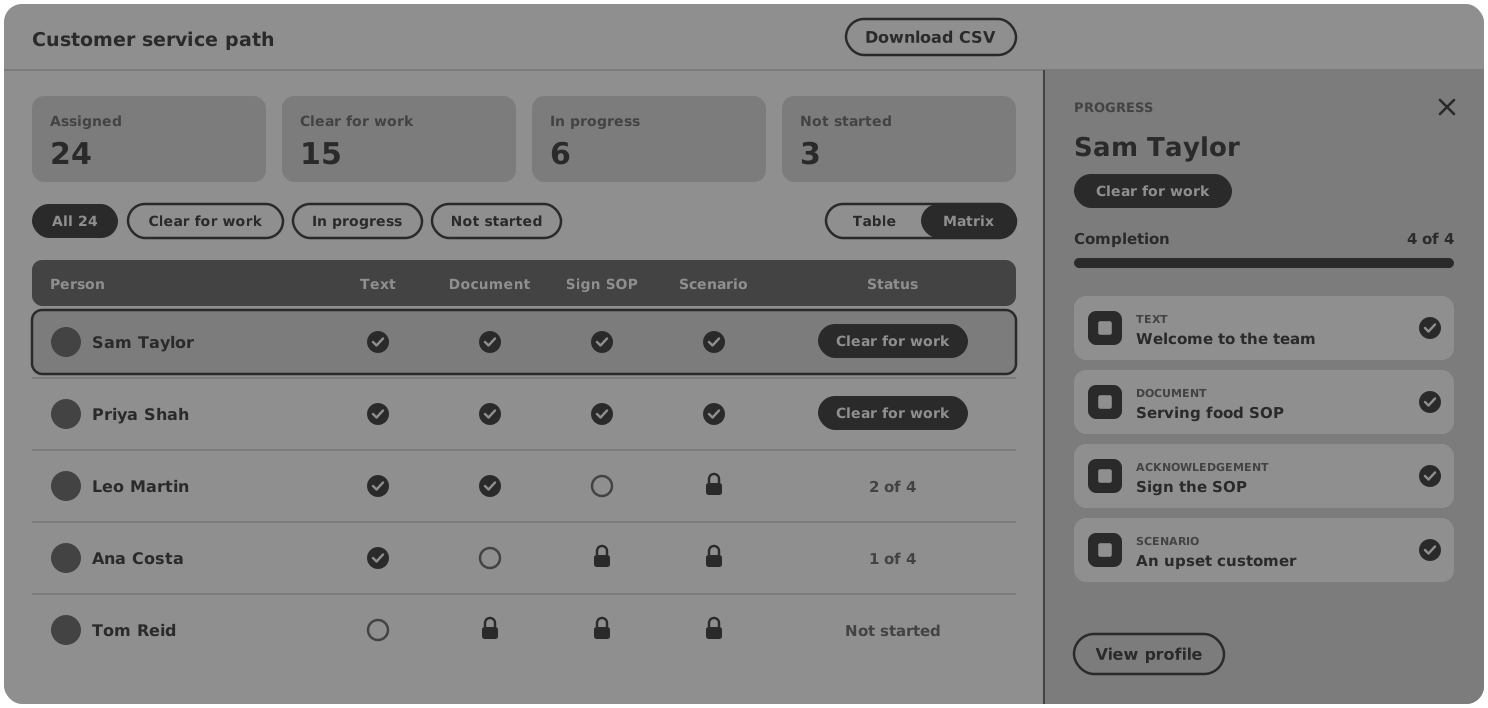
Admins build it, workers complete it, and site managers check who’s clear for work.
Three people meet in every path. The admin builds and assigns it. The worker completes it on a shared phone, between tasks. And the site manager needs to know who is clear to work before they put anyone on a shift. You find them wherever people need training and sign-off before they start: quick service restaurants, manufacturing, construction, warehousing and mining.
03What we built
One builder for onboarding, role progression and compliance.
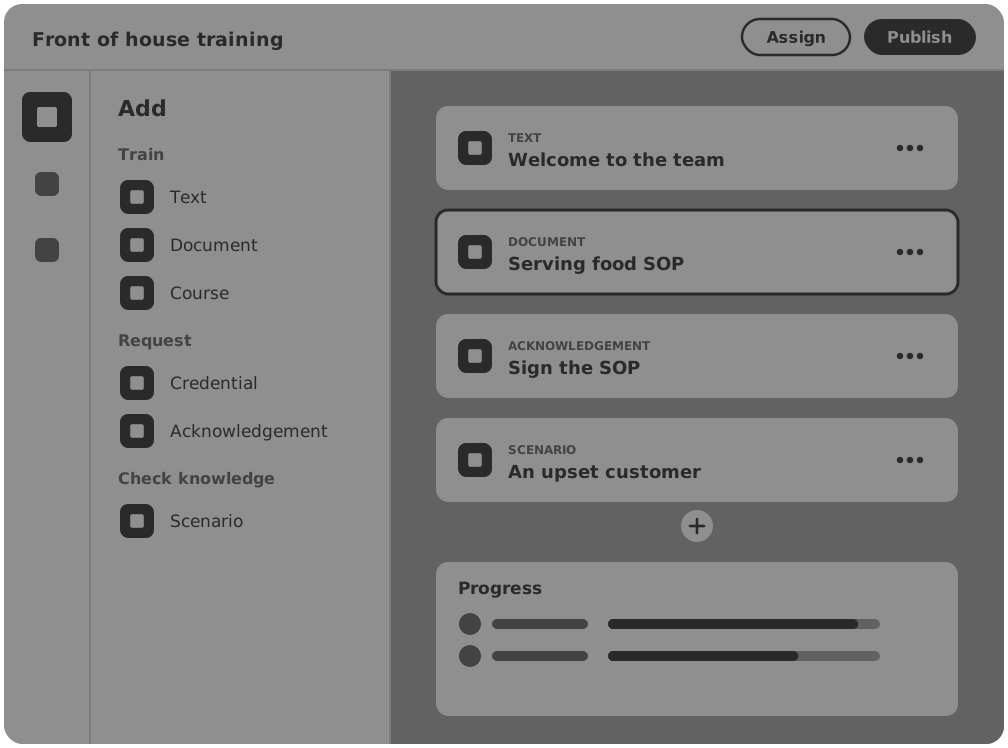
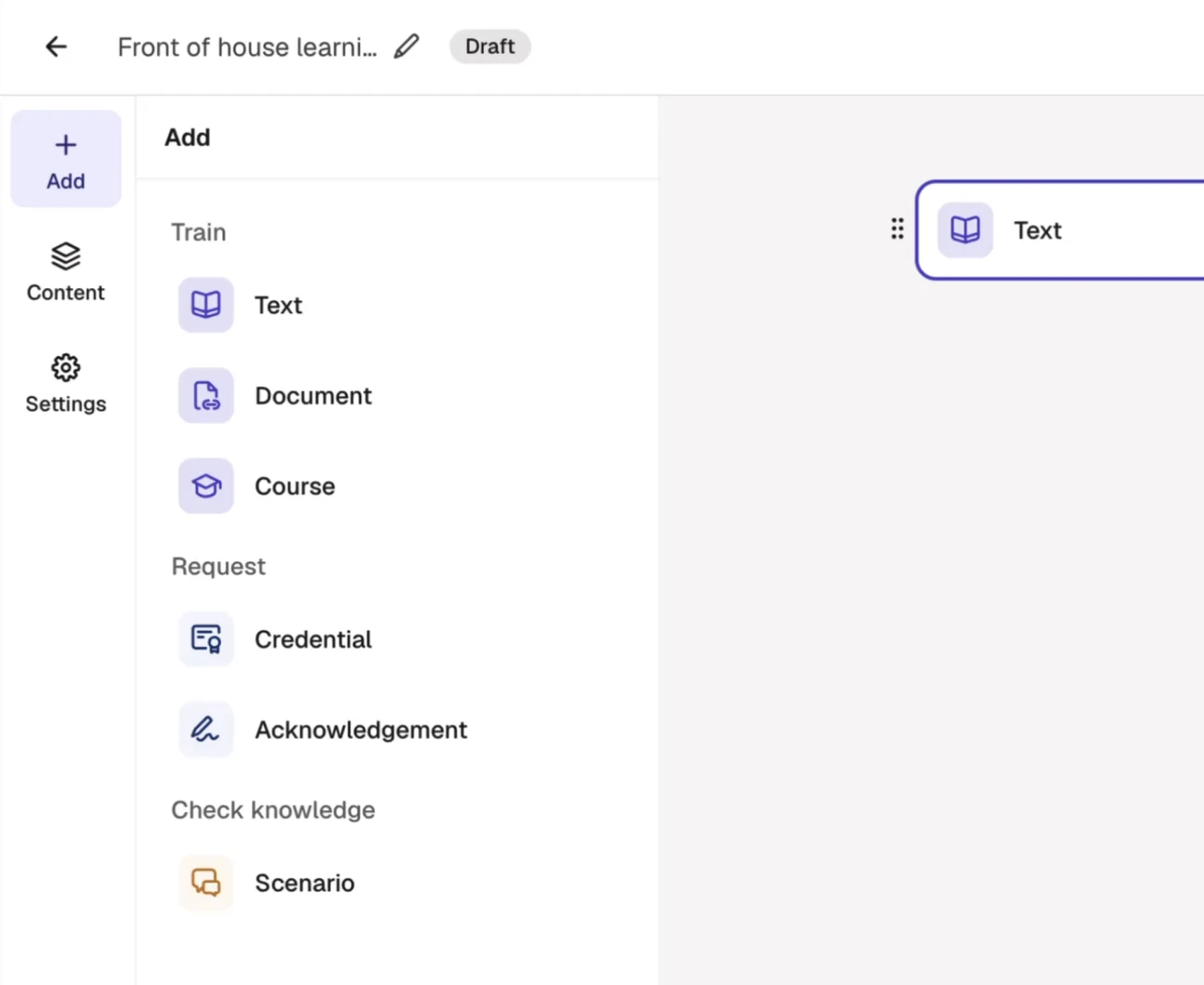
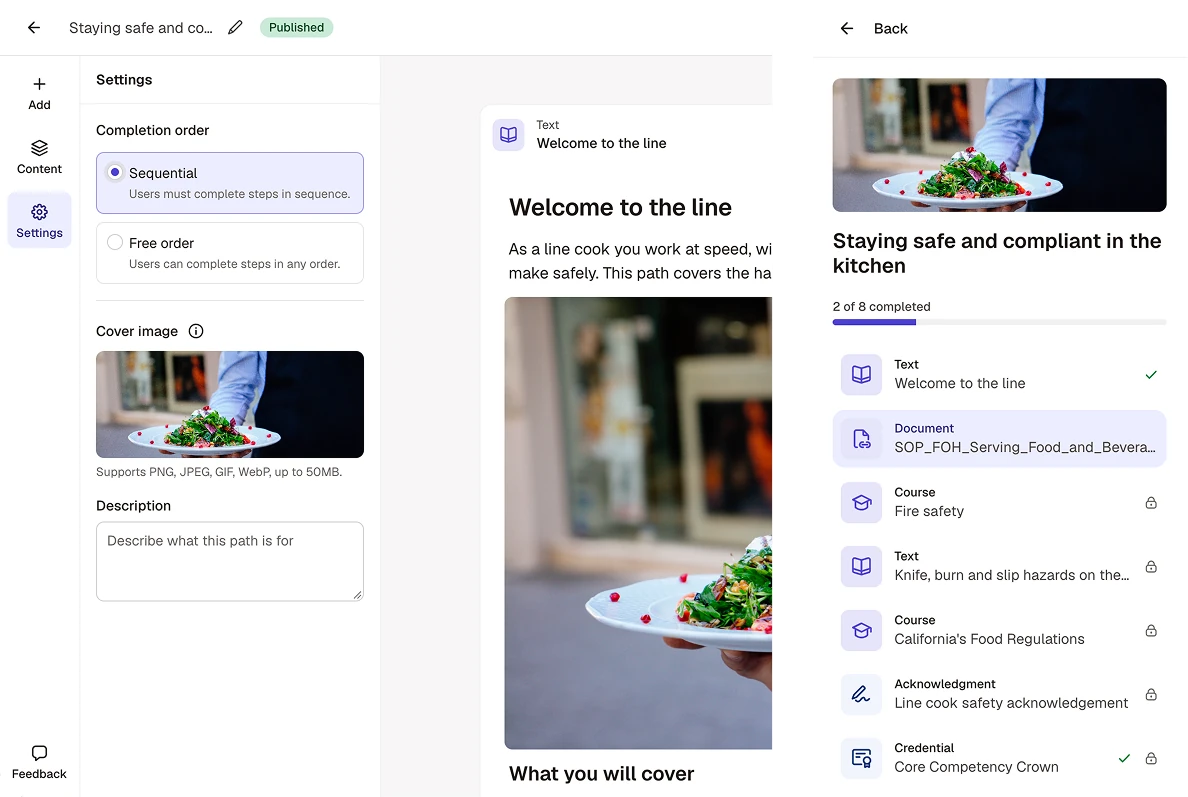
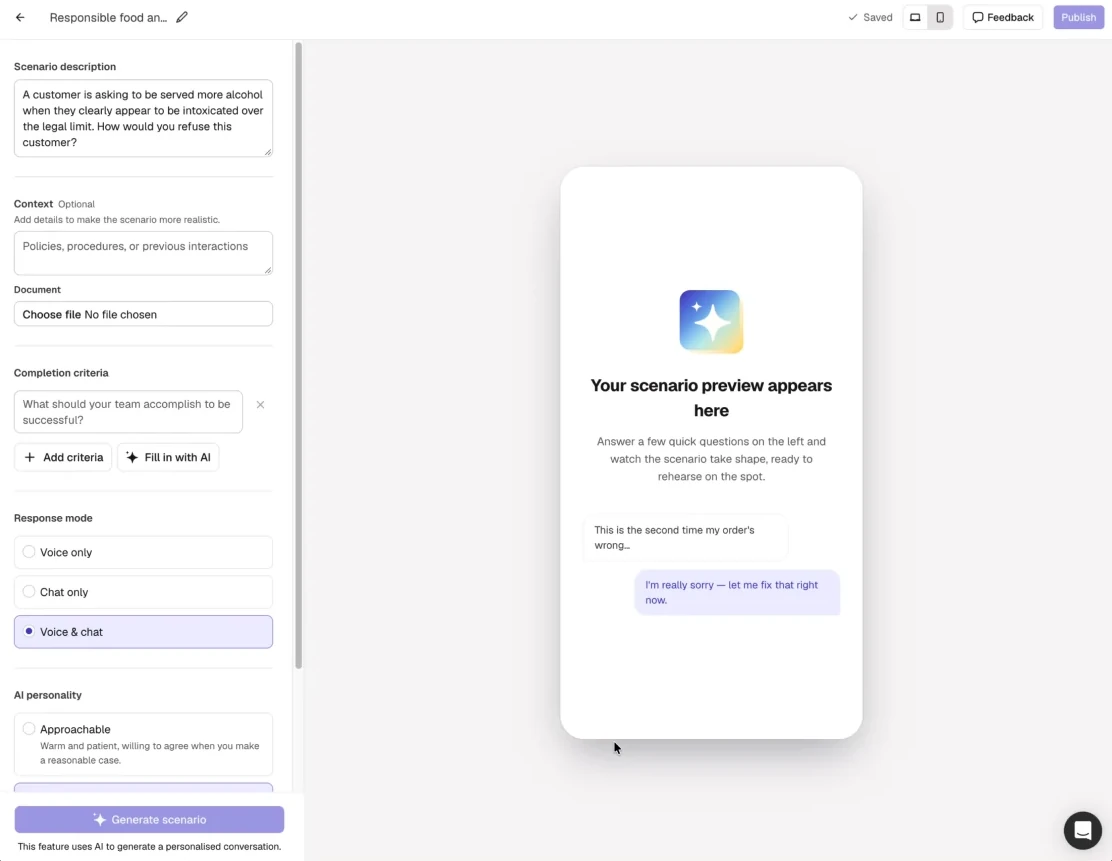
So we built one builder for all of it. The admin picks blocks from one panel, sets the order, previews it and publishes. A path can’t be published until every block has content, so a worker never opens an empty step.
| Group | Blocks | What it’s for |
|---|---|---|
| Train | Text, Document, Course | Learn it |
| Request | Credential, Acknowledgement | Confirm it |
| Check knowledge | Scenario | Prove it |
04Training experience
Built for shared phones on the floor.
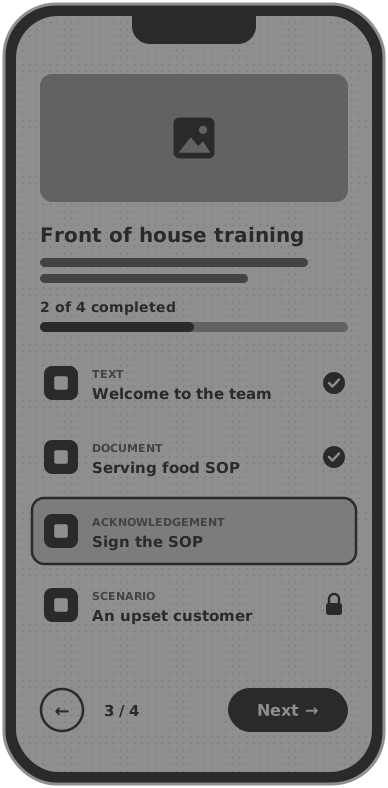
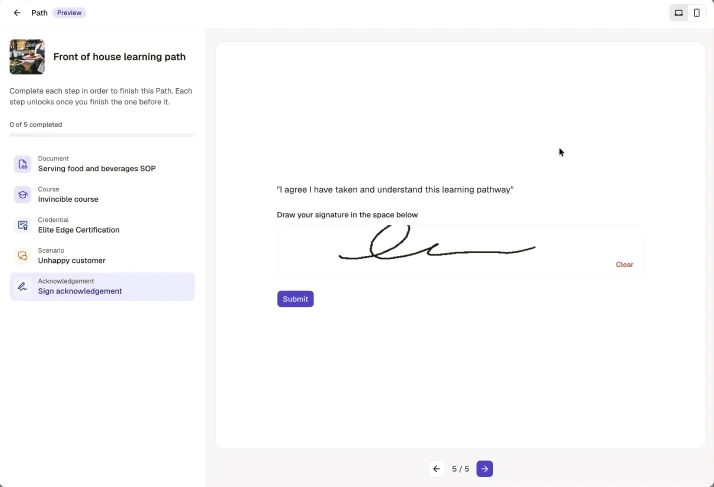
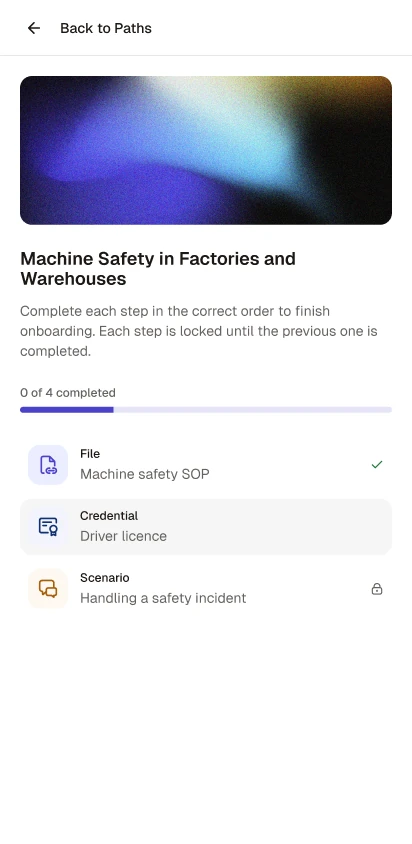
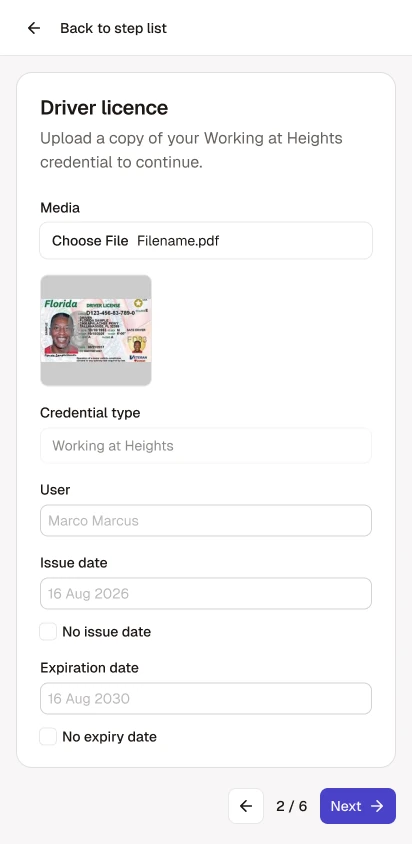
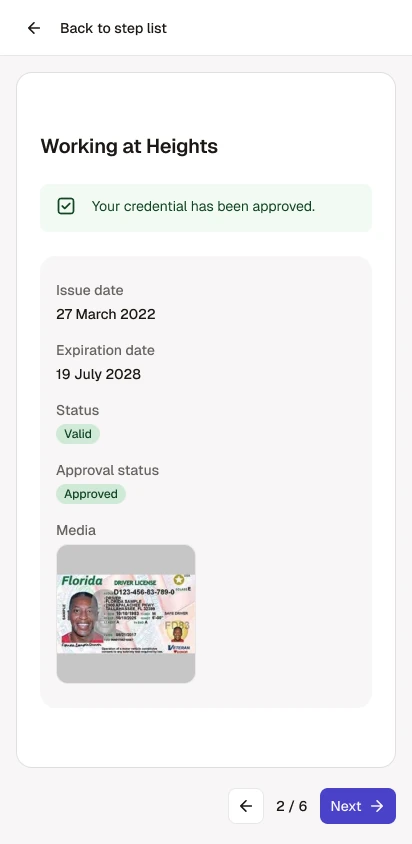
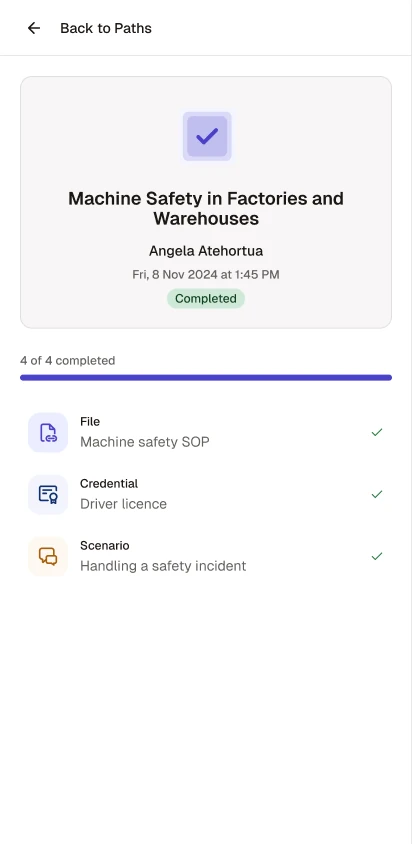
For the line cook, the path lives on a shared phone on the floor, so the worker experience is designed for mobile first. They pick up the phone, open their path and see their progress straight away, then work through one step per screen. Steps stay locked until the one before is done, credentials upload straight from the phone, and the finished path leaves a completion record with their name and the time.
05How
I turned Onboarding into a builder that covers every kind of guided training.
There was no Product Manager on the team, so alongside design I set the product direction across the builder, the admin tools and the worker experience. These were the calls that shaped it.
- 01
One builder, no migration pain
Paths brings Onboarding’s workflows into a more flexible builder. Existing steps, assignments and progress carry over, so customers simply see Paths in its place.
- 02
Blocks to learn, confirm and prove
Six block types in three groups cover the full loop of a requirement, from reading the SOP to signing it and practising it.
- 03
Strict means strict
In a sequential path each step stays locked until the one before it is done, on every surface the worker can reach.
- 04
Safe edits to live paths
Republishing updates the path for everyone assigned, and earlier completions show as out of date so admins can tell versions apart.
- 05
A name that fits
Renaming Onboarding to Paths removed a blocker customers raised for workforce development.
06Impact
Paths was helping sales before it reached every customer.
Sales started demoing Paths during early access, and from mid-October reps were regularly asking for it to be switched on for customer accounts. One rep credited a Paths demo with helping close a 200-seat expansion. After launch, account teams reported customers keen to link inspections into paths, which would also drive use of another part of the platform. Our customers in construction called the signature option in documents "a must have for ensuring compliance…"
…much better than Onboarding. Onboarding is usually just an initial administrative training.
- 200
- Seat expansion a sales rep credited to a Paths demo
- 134
- Admins working in Paths before launch
- 60
- Admins built a new path before launch
Before launch to every customer in November 2026. Expansion as reported by the sales rep.
07What I learned
Paths had a tight deadline and no Product Manager, so design couldn't be a phase that handed off to engineering. I worked on it from the first framing of the problem, through ideas and prototypes, to release, and when the deadline closed in I shipped code alongside the engineers to get it out.
Design isn’t a hand-off. It runs through the whole build, from the first idea to the code that ships.